
| To be better able to understand this demo, we strongly recommend you to read the simple demo first. This page demonstrates and explains the Shibboleth login procedure in greater detail and more technically than the simple demo. Should you prefer to get even more information about this topic, please read the expert demo. |
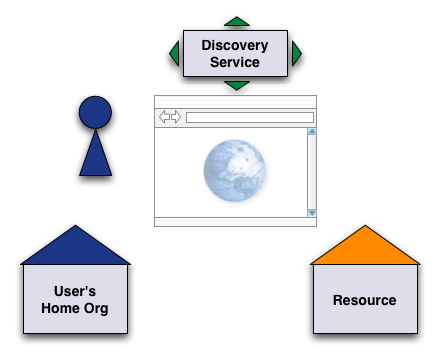
Figure 1: Situation overview
The demo scenario is the same as described in the simple
demo. A user wants to access a Shibboleth-enabled resource and has to be authenticated first.
For this demo, the following hosts are involved (as you will see from the URLs):
| Resource is on | https://aai-demo.switch.ch/secure/ |
| Discovery service is on | https://wayf-test.switch.ch |
| Home organization login is on | https://aai-demo-idp.switch.ch |
| To start the medium demonstration, try accessing the Shibboleth-protected demo resource. |
When you clicked on the 'demo resource' link the following two things could have happened.
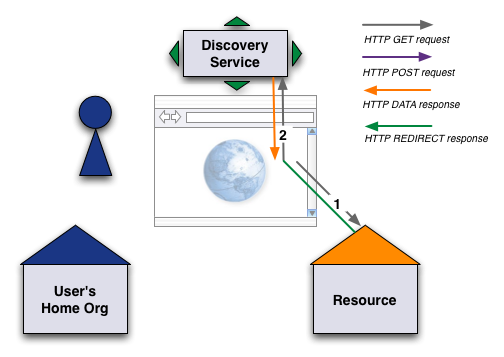
Figure 2: Redirect to Discovery Service
The following steps explain what actually happened in this phase.
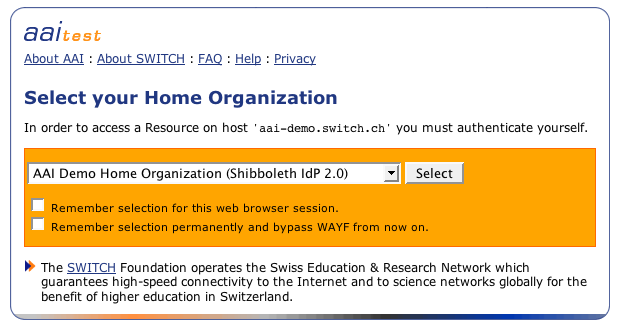
Figure 3: Discovery Service web page
| Select 'AAI Demo Home Organization' as Home Organization for this demo and hit the 'Select' button. |
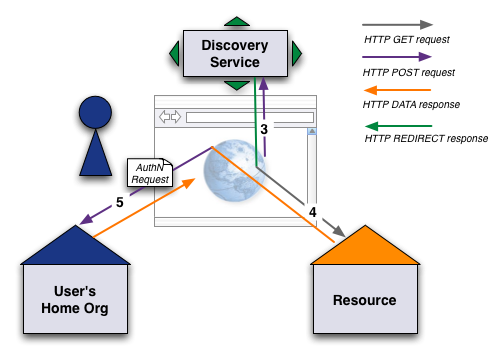
Figure 4: Authentication Request
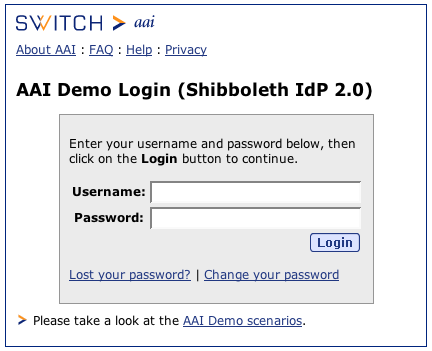
Figure 5: User authentication at Home Organization
| Use the credentials 'demouser' as username and 'demo' as password. Then click on 'Log in'. |
If you selected another Home Organization than 'AAI Demo Home Organization', the login page will look different and is located on another server. In that case you have to provide the corresponding credentials for that Home Organization to successfully log in.
Besides the login name and password, other forms of credentials could be used. E.g. one could use biometric authentication methods or a chip card to authenticate, provided the Home Organization supports such advanced authentication methods.
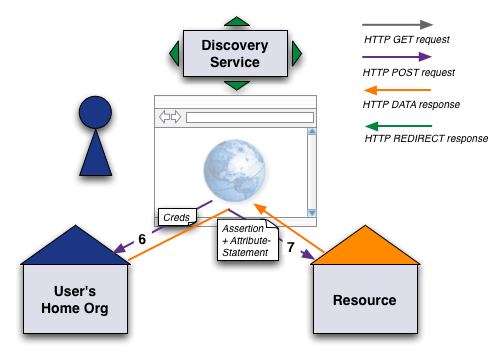
Figure 6: Authentication and Access
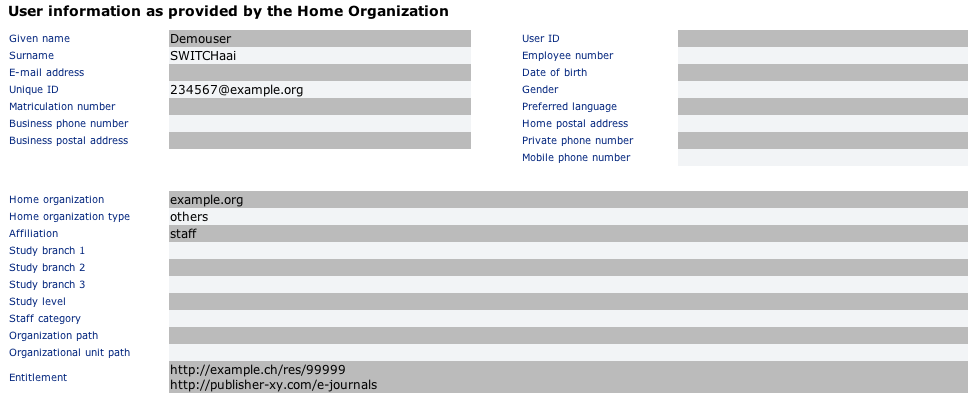
Figure 7: The resource
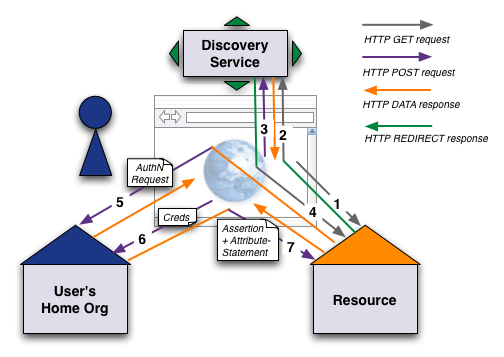
Figure 8: The complete login procedure
In Fig. 8 all involved connections are shown again. They all are secured with SSL and the user's attributes are also encryped when they are transported via the web browser. This makes sure, that neither the user or a malicious application on the user's computer has access to the attributes.
Besides the technical security measures there is also a legal basis that provides some security. All Home Organizations and their resources have agreed to the edu-ID Service Description, which guarantees confidential use of user data according to the Swiss data protection law.
| Read the expert demo for even more detailed information about the login procedure. |