
AAI Design Guidelines
Purpose
The goals of these guidelines are:
- A better-looking user interface for the AAI-users
- A familiar look and feel for immediate recognition of an AAI-protected resource
- Avoiding multiple concepts of user interfaces
- A more consistent and easier login process for the users
- Reducing the workload for the web page authors when designing a login interface - templates are provided
- A better support concept that guides users to the right helpdesk
Switch edu-ID Design Guidelines
For Switch edu-ID enabled services refer to the Switch edu-ID Design Guidelines
CSS and Logo URLs for Shibboleth Configuration
Shibboleth Service Providers can be configured to use a stylesheet and an image when error or authorization messages are displayed to the user. Using the two mentioned URLs below, it is very easy to give them an edu-ID-like look. The only thing that is needed, is to set the logoLocation to https://www.switch.ch/aai/design/images/Switch-edu-ID.png and to set the styleSheet to https://www.switch.ch/aai/design/shib-error.css in the Shibboleth configuration file (shibboleth2.xml) of the Service Provider.
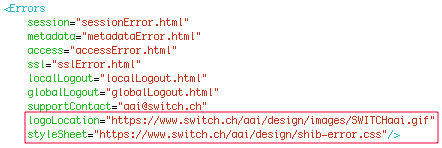
This should then look like this:
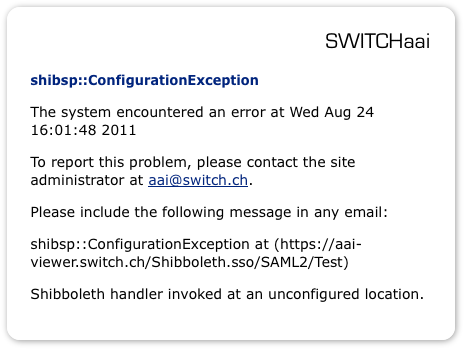
And the resulting messages generated by the Service Provider look like shown in this example: