Account Notifications
This feature is selectively released to Universities by Switch.
After successful completion of the authentication process the user is guided through the Account Reminder flow. The flow is activated on specific conditions only and may be a static announcement or an interactive dialog.
The following flows are persistently active and are shown if the user fulfils the corresponding conditions. Stateful flows store their state in cookies and are therefore bound to the browser.
Add Mobile Number
Having a mobile number registered in an account serves multiple purposes:
- Account recovery: Users with activated multi-factor authentication (2-step login or passkeys) who lose their credentials need to go through the account recovery process to regain access to their account. If a user is in posession of a recovery code or has set up her account with a mobile number, the account can be recovered in an automated self-service process. Without automated process, the user has to contact Switch edu-ID support where she is identified and the account is manually recovered.
- Duplicate prevention: The mobile number helps to detect or even prevent the creation of duplicate accounts.
- MFA factor: Even though using an authenticator app is usually the preferred MFA method, some organisations may allow their users to use SMS as second factor for 2-step login.
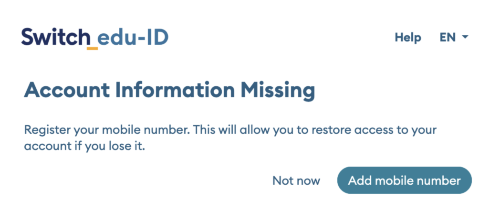
The purpose of this function is to ensure that all users have a verified mobile number registered in their account.
Condition
- The User has enabled multi-factor authentication (2-step Login with Authenticator App or Passkeys).
- The User has no registered mobile number.
Action
- The user is asked to register a mobile number using the mobile number wizard.
- The user may skip the mobile number registration. In this case, the dialog will be shown again after 30 days.
Recommend Authenticator App for 2-step Login
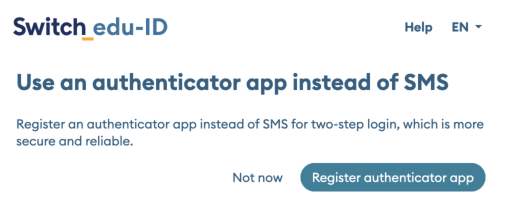
Users with activated 2-step Login with mTAN code (sent via SMS) receive a text message for each MFA authentication. To improve authentication reliability and account security, and to reduce operational costs users are encouraged to use App Authenticator (TOTP) instead.
The purpose of this function is to ensure that mainly the App Authenticator (TOTP) method is used for 2-step Login.
Condition
- The user has 2-step-login activated with mTAN (SMS) method.
- The user has used 2-step-login with SMS for the current login.
- The user is member of a university that has activated this notification.
Action
- The user is asked to register an App Authenticator using the TOTP wizard.
- The user may skip the TOTP registration. In this case, the dialog will be shown again after 30 days